Streamlining Support Triage with Synchronous Profile Verification
Integrating real-time profile verification into support ingestion pipelines enables automated ticket prioritization by distinguishing between personal and verified business accounts at the point of entry.

The Bottleneck: Unstructured Support Ingestion
In many high-volume support environments, the ingestion pipeline is a "black box." When a customer initiates a conversation via a messaging platform, the backend typically receives a webhook containing a raw phone number and a message body. Without further context, the support team treats every incoming ticket as identical.
This leads to a common operational failure: support agents spend valuable time manually researching the nature of the sender. Is this a high-value enterprise client using a verified business account, or is it a personal user with a standard inquiry? When the ticketing system lacks this distinction, the triage process becomes a manual bottleneck. Agents are forced to perform "context switching," moving between the ticketing dashboard and external tools to verify the sender’s profile before they can even begin to address the issue.
This manual triage is not just slow; it is inconsistent. If an agent forgets to check the account type, a priority business inquiry might sit in a standard queue for hours, leading to missed service-level agreements (SLAs) and frustrated clients.
The Engineering Objective: Synchronous Enrichment
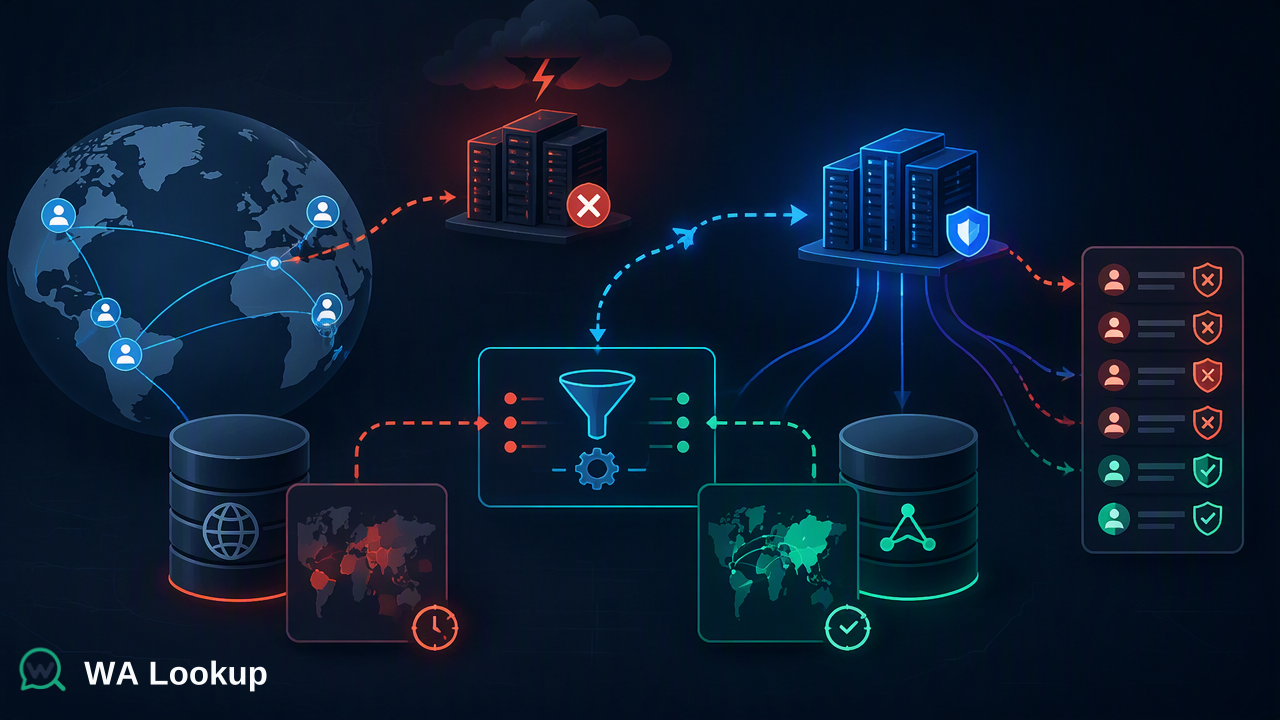
To solve this, we need to move the verification step from the agent’s desk to the ingestion pipeline. By implementing a synchronous validation step at the point of entry, we can enrich the ticket metadata before it ever reaches a human agent.
The goal is to intercept the incoming webhook, extract the E.164 phone number, and perform a real-time check against a verification service. Based on the response, the system can automatically apply tags (e.g., priority-business, standard-user) and route the ticket to the appropriate queue.
Step 1: Normalizing the Input
Before interacting with any external API, we must ensure the phone number is in E.164 format. This format is the international standard for phone numbers, typically starting with a plus sign followed by the country code and the subscriber number (e.g., +14155550101).
If your incoming webhook provides numbers in local formats, you must sanitize them first. Using a library like libphonenumber is recommended to ensure that the input is valid and correctly formatted before it hits the API.
Step 2: Designing the Verification Request
The verification service operates on a synchronous request-response model. When we send a POST request, we receive the result immediately. This is critical for our pipeline because we do not want to store the ticket in a "pending" state while waiting for an asynchronous callback.
The request requires an API key for authentication and a JSON body specifying the service_type and the identifier. For our triage use case, we are specifically interested in the ws_business service type, which returns a boolean flag indicating whether the account is a business account.
Here is how the request structure looks in a typical Node.js implementation:
const axios = require('axios');

async function verifyAccountType(phoneNumber) {
  const url = '
  const payload = {
    service_type: 'ws_business',
    identifier: phoneNumber
  };

  try {
    const response = await axios.post(url, payload, {
      headers: {
        'X-API-Key': process.env.VERIFICATION_API_KEY,
        'Content-Type': 'application/json'
      }
    });

    return response.data;
  } catch (error) {
    console.error('Verification failed:', error.message);
    return null;
  }
}
Step 3: Processing the Response and Routing
The API response provides several fields, but for our triage logic, we focus on registered and business.
registered: Confirms if the number is present on the platform.business: A boolean indicating if the account is flagged as a business account.
If the registered field is true and business is true, we can confidently tag the ticket as a priority. If registered is true but business is false, it is a standard personal account. If the check fails or the number is not registered, we can route it to a "verification-failed" or "general" queue for manual review.
async function handleIncomingTicket(webhookData) {
  const { phone_number, message } = webhookData;
  const result = await verifyAccountType(phone_number);

  let priorityTag = 'standard';

  if (result && result.registered && result.business) {
    priorityTag = 'priority-business';
  }

  // Logic to push to ticketing system with the tag
  await createTicket({
    sender: phone_number,
    body: message,
    tags: [priorityTag]
  });
}
Handling Edge Cases and Cost Efficiency
Because this is a synchronous, pay-per-check model, it is important to handle errors gracefully. If the API service is temporarily unreachable, the system should default to a "standard" queue rather than failing the entire ingestion process.
Additionally, the service automatically refunds charges for failed or undetermined checks. This ensures that your operational costs remain aligned with successful validations. When implementing this, ensure your logging captures the transaction_id returned by the API; this is invaluable for auditing and reconciling billing if you need to investigate why a specific check returned an unexpected result.
Key Takeaways for Implementation
- Synchronous is better for pipelines: By performing the check synchronously, you avoid the complexity of managing state machines or waiting for webhooks to return from the verification provider.
- E.164 is non-negotiable: Always normalize your phone numbers before sending them to the API. Attempting to send local formats will lead to unnecessary errors and failed checks.
- Use the right service type: Choose the
service_typethat matches your specific need. If you only need to know if a number is registered, usews. If you need to distinguish between personal and business accounts, usews_business. Using the correct type ensures you are only paying for the data you actually need. - Fail-safe routing: Always define a fallback route. If the verification service is down or returns an error, your system should still ingest the ticket, perhaps flagging it for manual review rather than dropping it.
- Auditability: Store the
transaction_idalongside your ticket metadata. This allows your team to trace the verification result back to the specific API transaction if a discrepancy arises in the future.
By moving the verification logic into the ingestion layer, you transform your support pipeline from a reactive system into a proactive one. You reduce the cognitive load on your support team, ensure that high-value inquiries are prioritized, and maintain a cleaner, more organized ticketing database.